


主要圖片圖庫


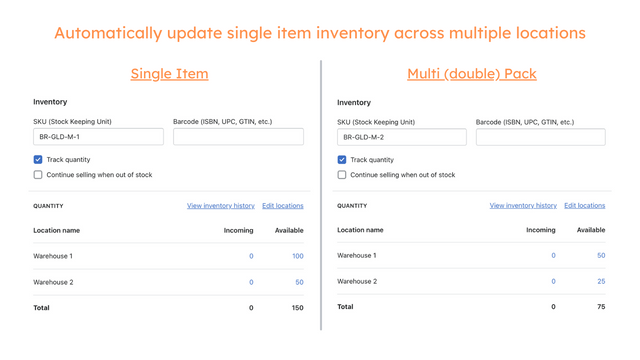
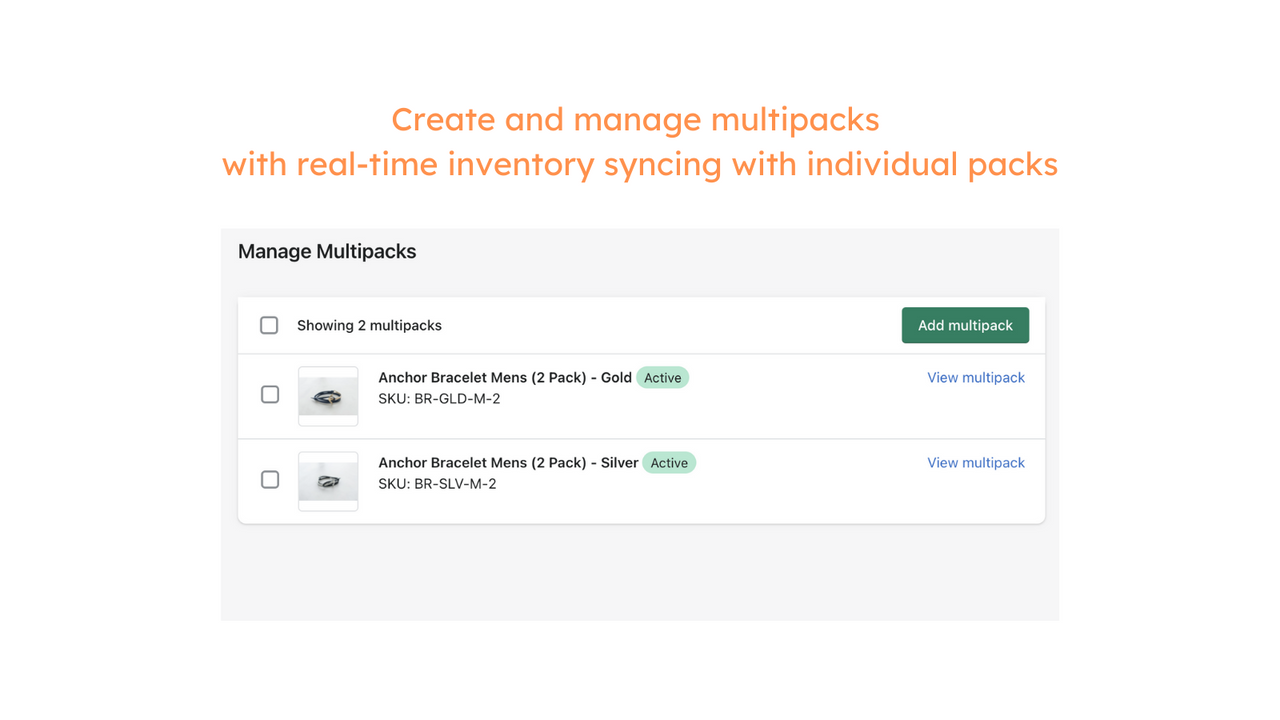
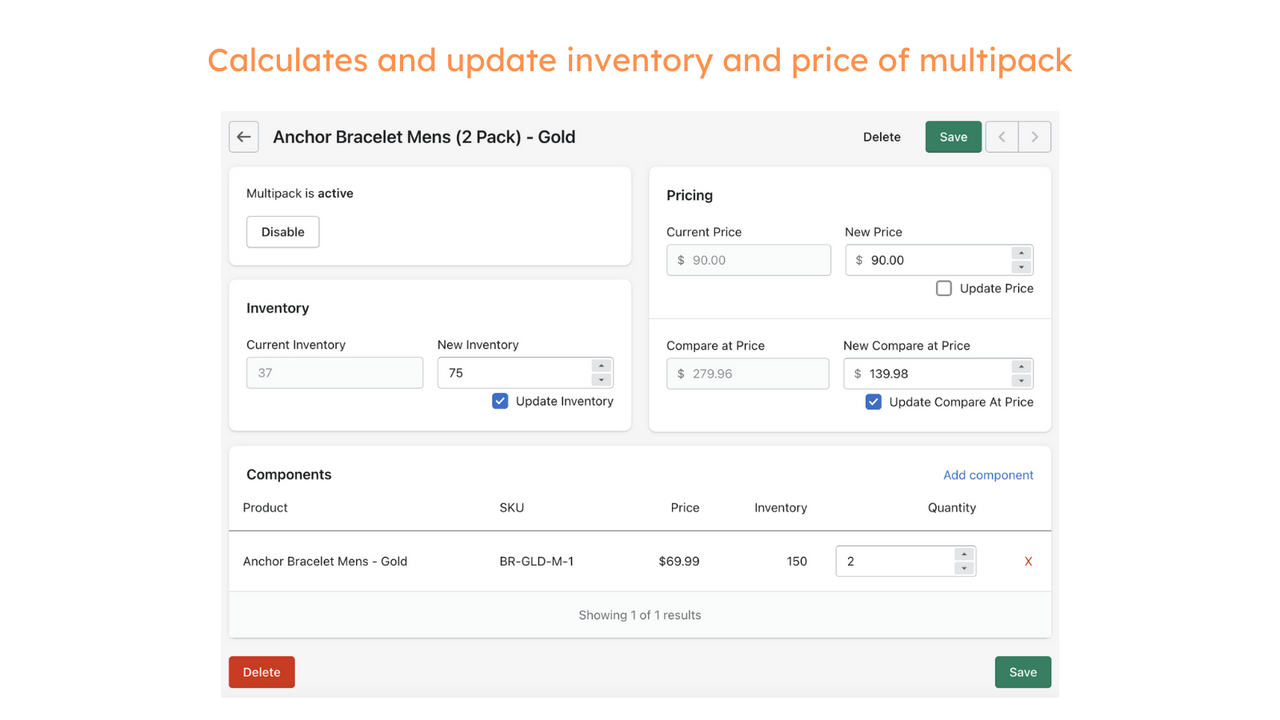
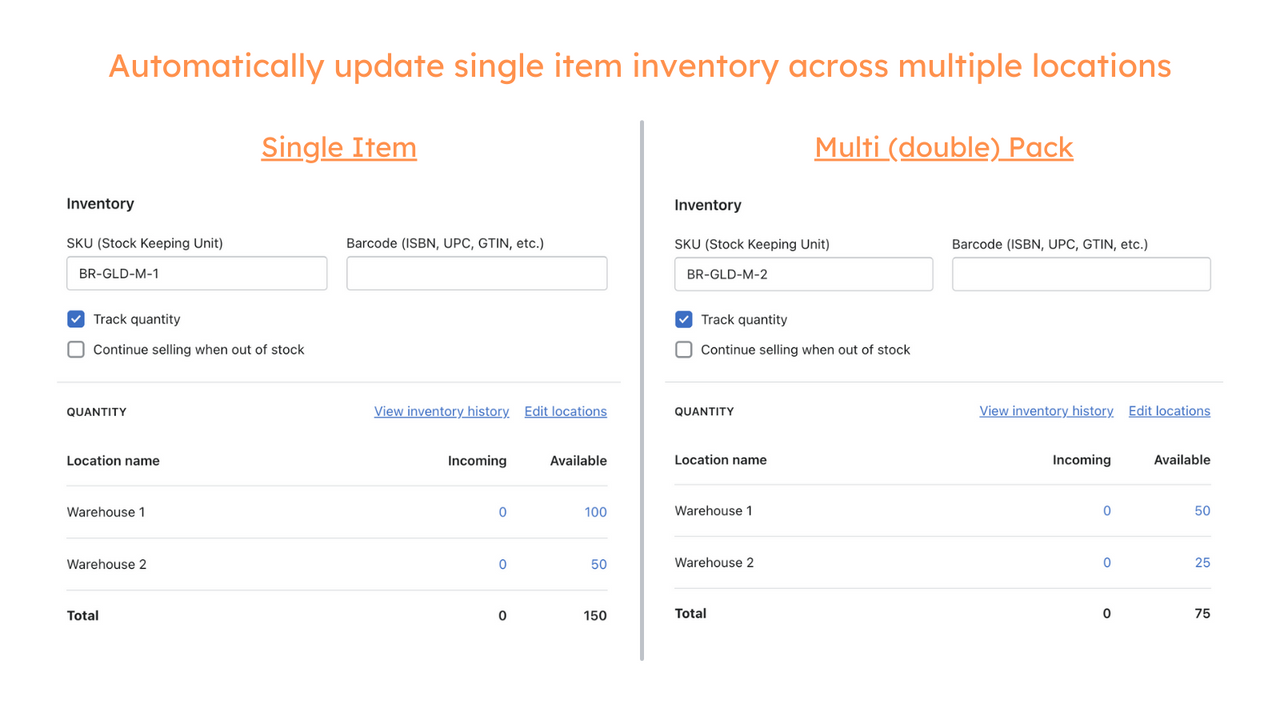
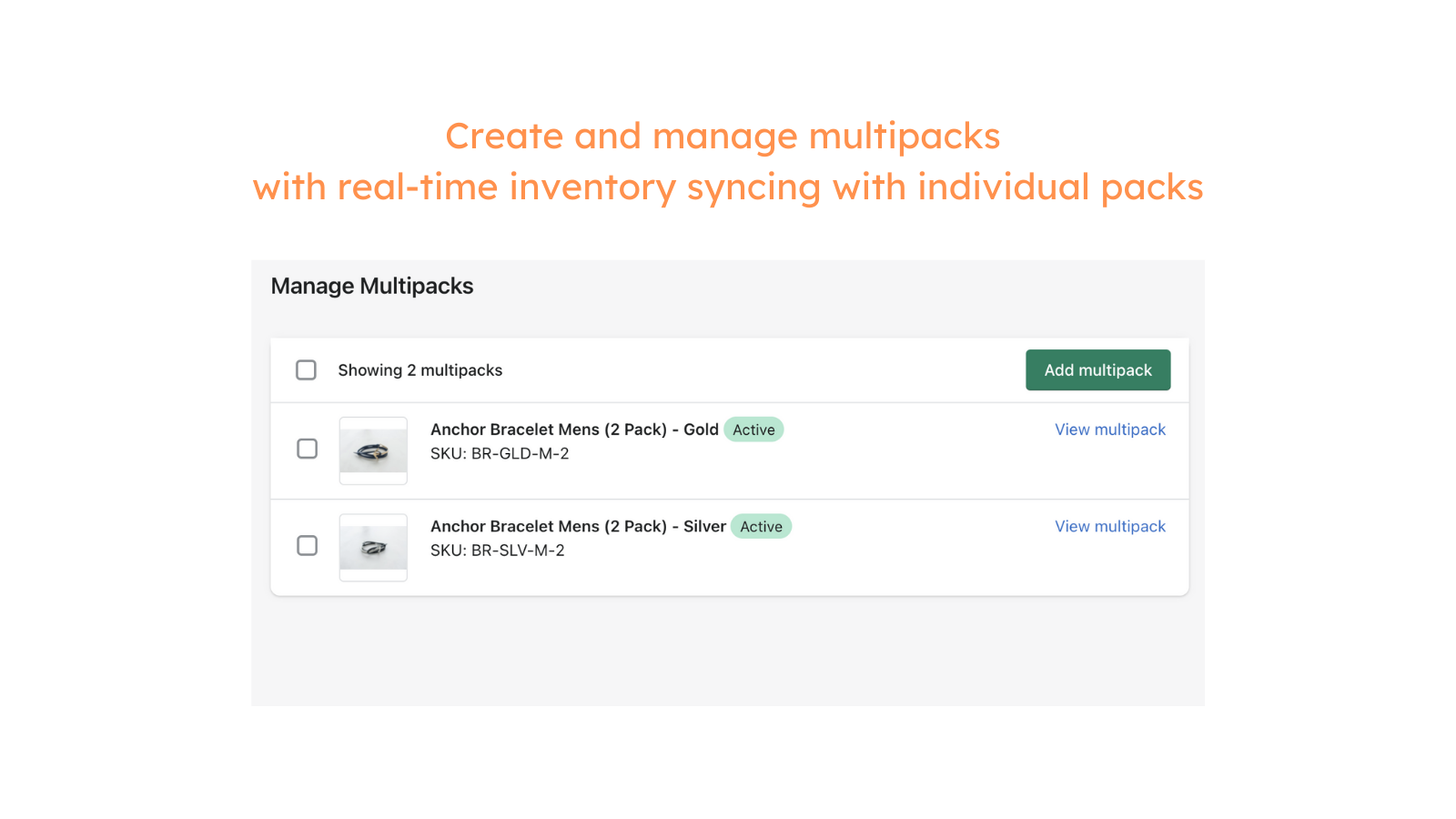

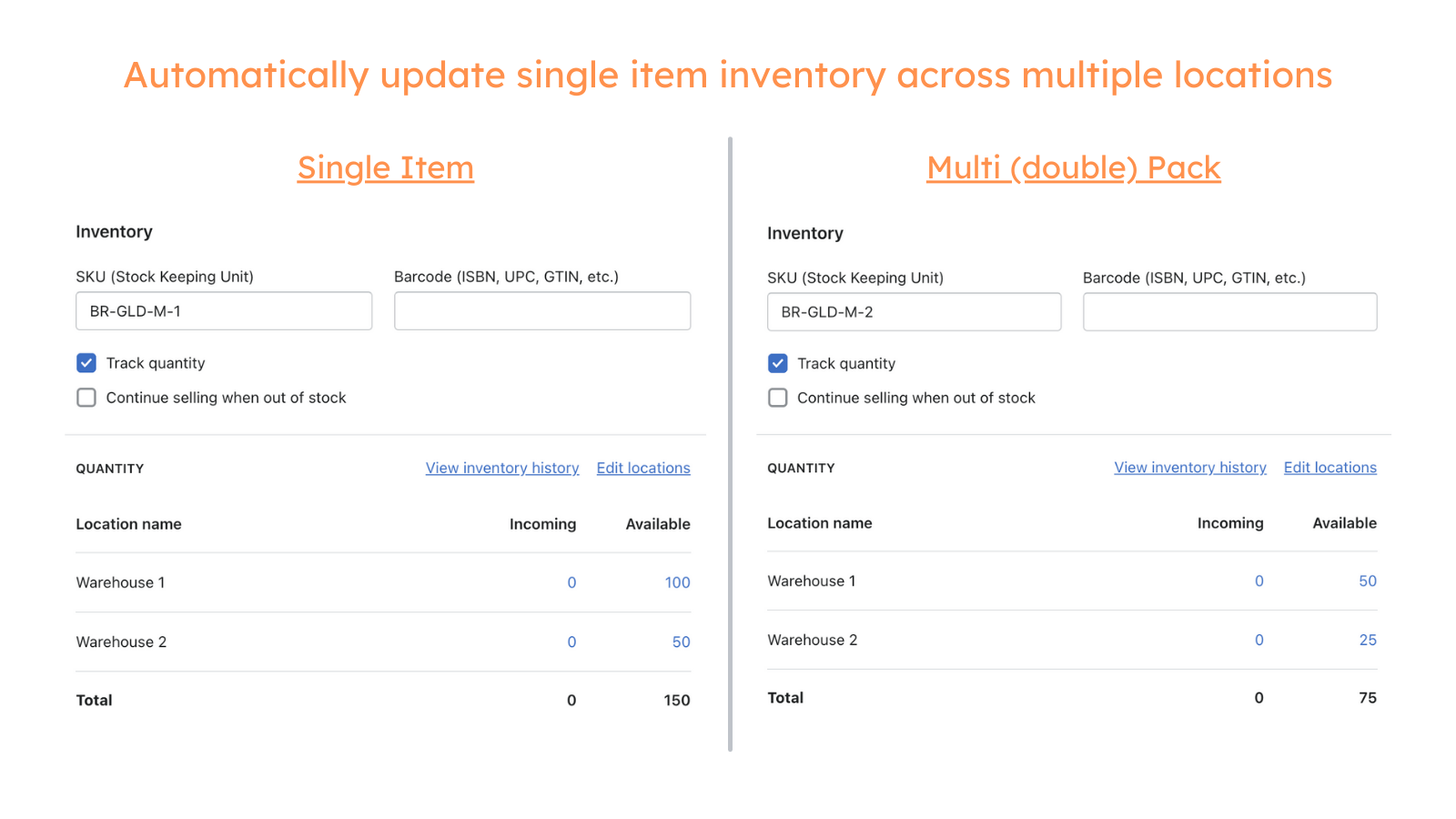
Live inventory synching for multipacks, bundles and kits with multi-location support.
If you're selling multipacks of the same SKU or bundles / kits made up of various SKUs (products or variants), this is the app for you. The app links the inventory of a multipack, bundle or kit product in Shopify with each product that are part of the parent multipack, bundle or kit to ensure that your inventory is always kept in sync across multiple locations. This is done live as orders are created, fulfilled and restocked. It also handles updates from inventory management systems.
- Inventory across multipacks, bundles and kits are synced live as orders come in
- Handles inventory across multiple fulfilment locations
- Increase average order value by selling multipacks, bundles and kits
- Works in the background and doesn't add additional code to your store
- Easy set up and ability to do a bulk upload based off SKUs
含有未翻譯的文字
語言
英文
這項應用程式尚未翻譯成繁體中文
可與以下項目搭配使用
- 結帳頁面
- Shopify 管理介面
定價
選擇最適合您業務的方案。
Basic
$5 /月
功能
- For shops on Basic, Shopify and Advanced plans
- Unlimited orders
- Up to 3 multipacks / bundles
14 天免費試用
Unlimited
$15 /月
功能
- For shops on Basic, Shopify and Advanced plans
- Unlimited orders
- Unlimited number of multipacks / bundles
14 天免費試用
Unlimited Plus
$59 /月
功能
- For shops on the Shopify Plus plan
- Unlimited orders
- Unlimited number of multipacks / bundles
14 天免費試用
含有未翻譯的文字
所有費用均以 USD 計價。 定期費用和依使用量計費方案,均以 30 天為週期收費。
This was my first time using an inventory app for bundles. I was super confused but I received the fastest and friendliest assistance. My bundles are now selling and the stock is updating perfectly! So happy.
Does exactly what i needed it to do. Easy to use.
支援服務
App 支援由 Hyve Labs 提供。
資料存取權
這項應用程式需要存取以下資料,才能在商店中正常運作。 原因請參閱開發者的隱私權政策 。
檢視顧客資料:
裝置與活動資料
-
裝置與活動資料
地理位置、 IP 位址、 瀏覽器與作業系統
檢視員工與協作者資料:
商店擁有人
-
商店擁有人
姓名、 電子郵件地址、 電話號碼、 實體地址
檢視與編輯商店資料:
產品、 訂單、 線上商店
-
編輯產品
庫存, 產品, 產品資訊、 商品系列
-
編輯訂單
已指派的出貨訂單, 由商家管理的出貨, 訂單編輯, 過去 60 天內的所有訂單記錄、 退貨流程
-
檢視線上商店
佈景主題
-
檢視其他資料
地點
其他同類型應用程式



符合我們成效、設計和整合層面的最高標準。 深入瞭解「在新視窗中開啟」


