


แกลเลอรีรูปภาพที่แสดง


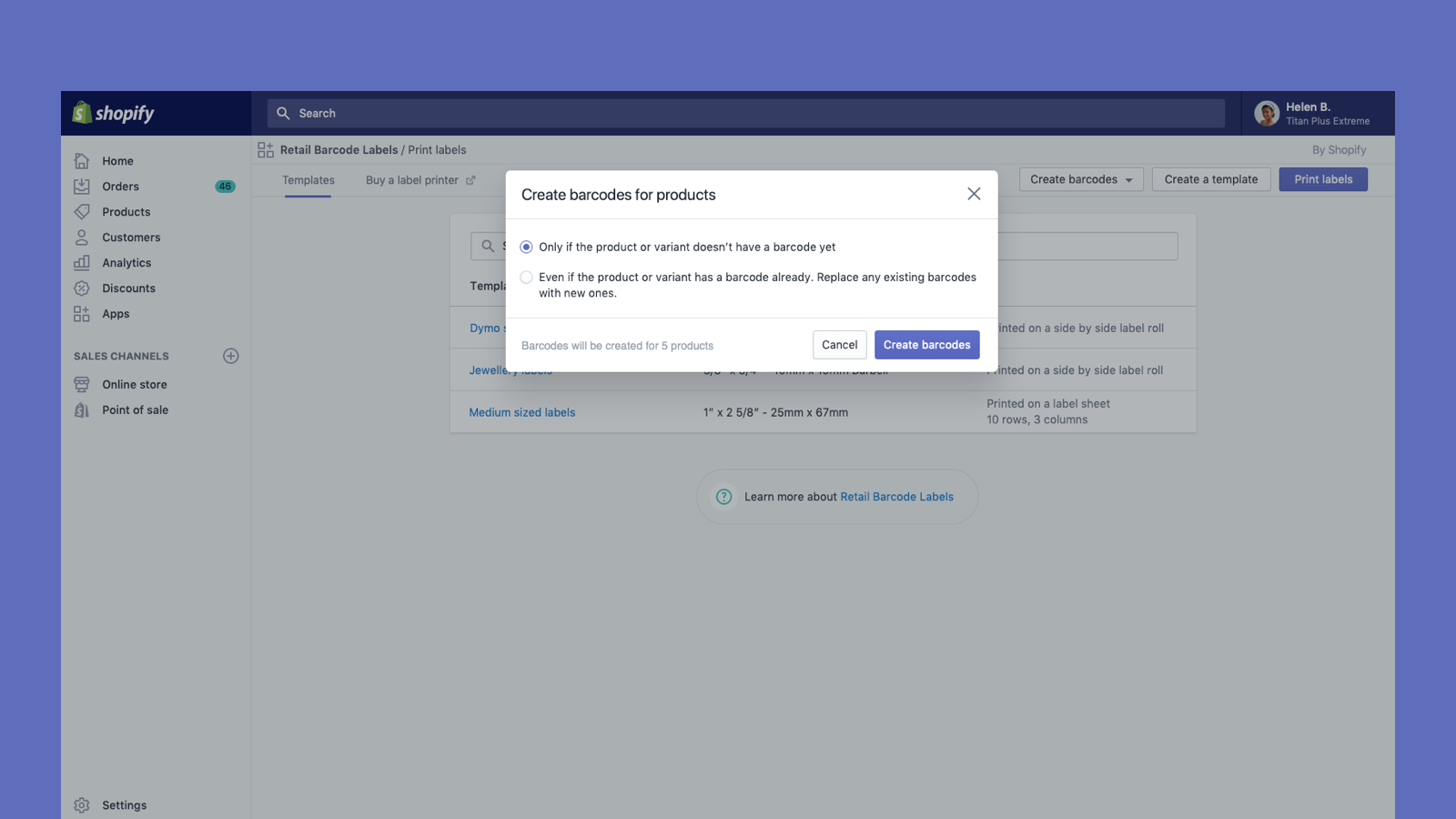

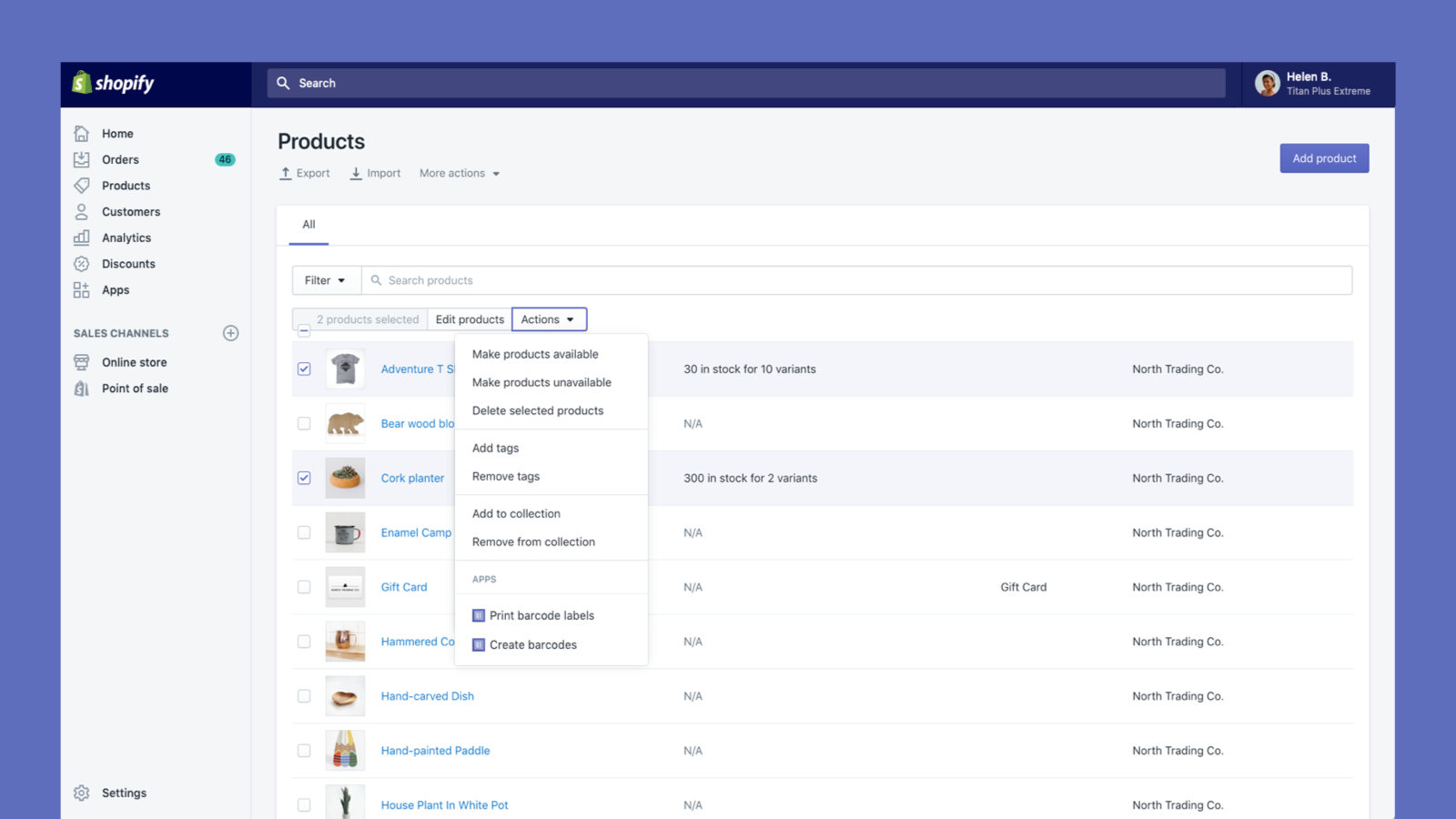
สร้างและพิมพ์ฉลากบาร์โค้ดสำหรับสินค้าของคุณ
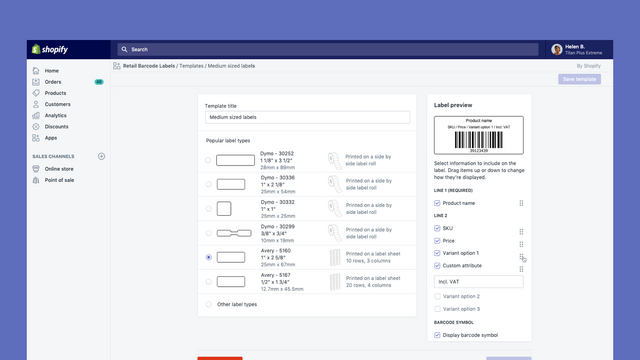
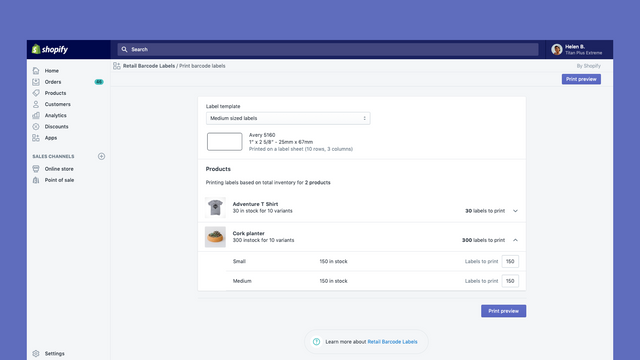
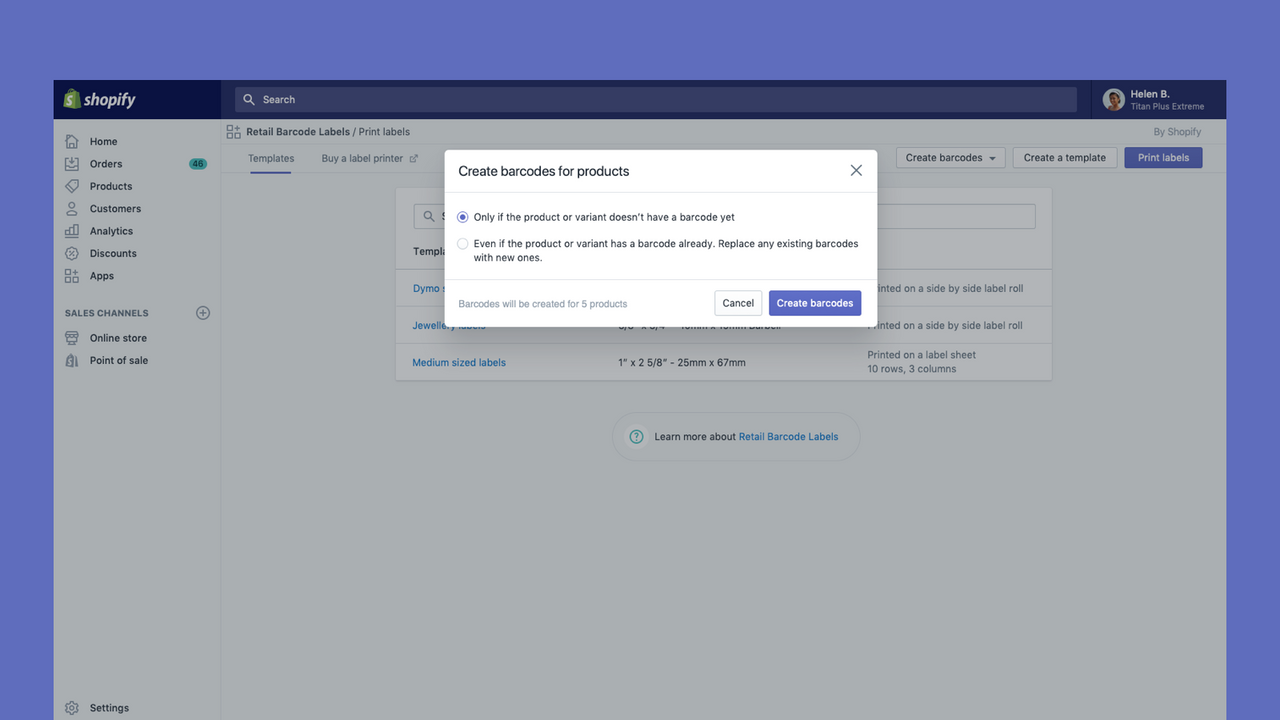
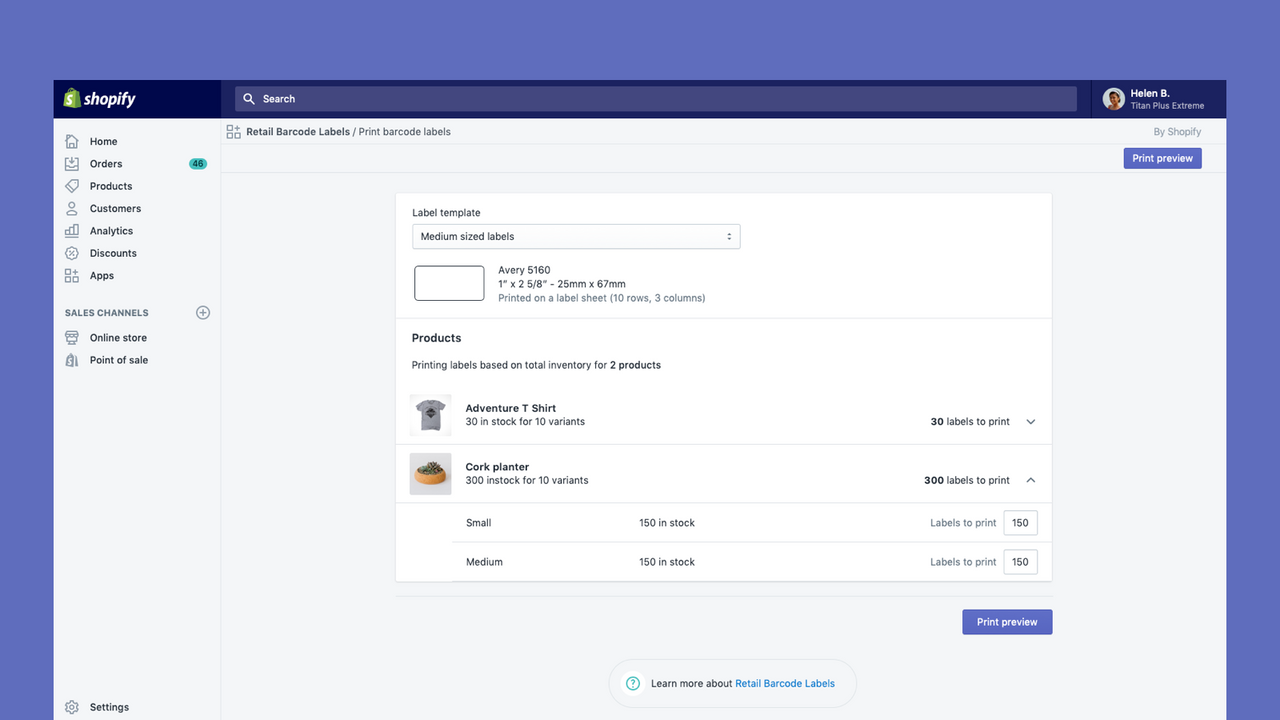
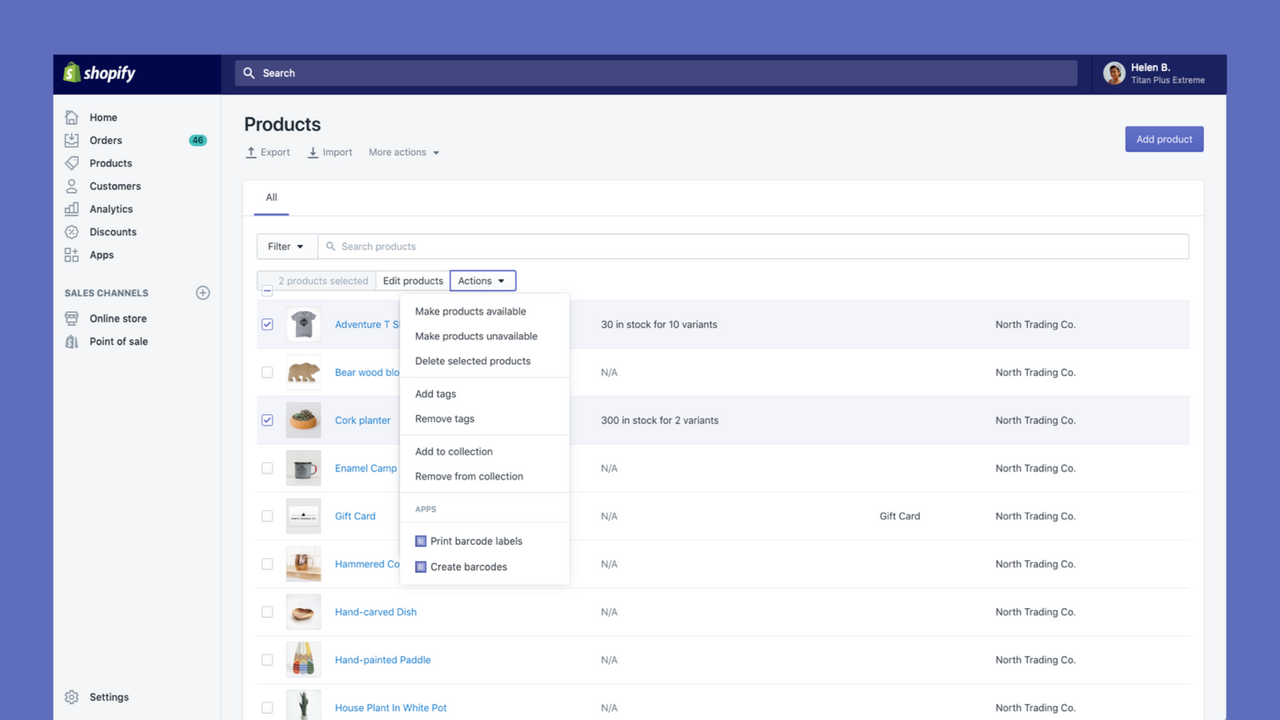
Retail Barcode Labels ช่วยให้คุณสร้างและพิมพ์ฉลากบาร์โค้ดสำหรับสินค้าของคุณได้อย่างง่ายดาย ใช้แอปเพื่อสร้างเทมเพลตฉลากให้เหมาะกับสินค้าและการใช้งานที่แตกต่างกันของคุณ สร้างเทมเพลตและพิมพ์ฉลากบนกระดาษยอดนิยมจาก Avery, Dymo และ Zebra รวมถึงกระดาษพิมพ์ฉลาก Retail Barcode Labels รองรับเครื่องพิมพ์ทุกรุ่นที่ติดตั้งอยู่บนคอมพิวเตอร์หรือเครือข่ายของคุณในปัจจุบัน รวมถึงการพิมพ์แบบไร้สายที่ปลอดภัยจากอุปกรณ์มือถือ พิมพ์ฉลากจำนวนมากได้อย่างง่ายดายและปรับปรุงสินค้าคงคลังของคุณ
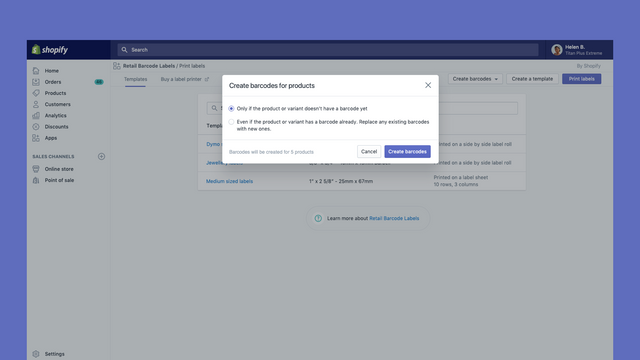
- สร้างบาร์โค้ด Code-128 สำหรับสินค้าบางส่วนหรือทั้งหมดของคุณโดยอัตโนมัติ
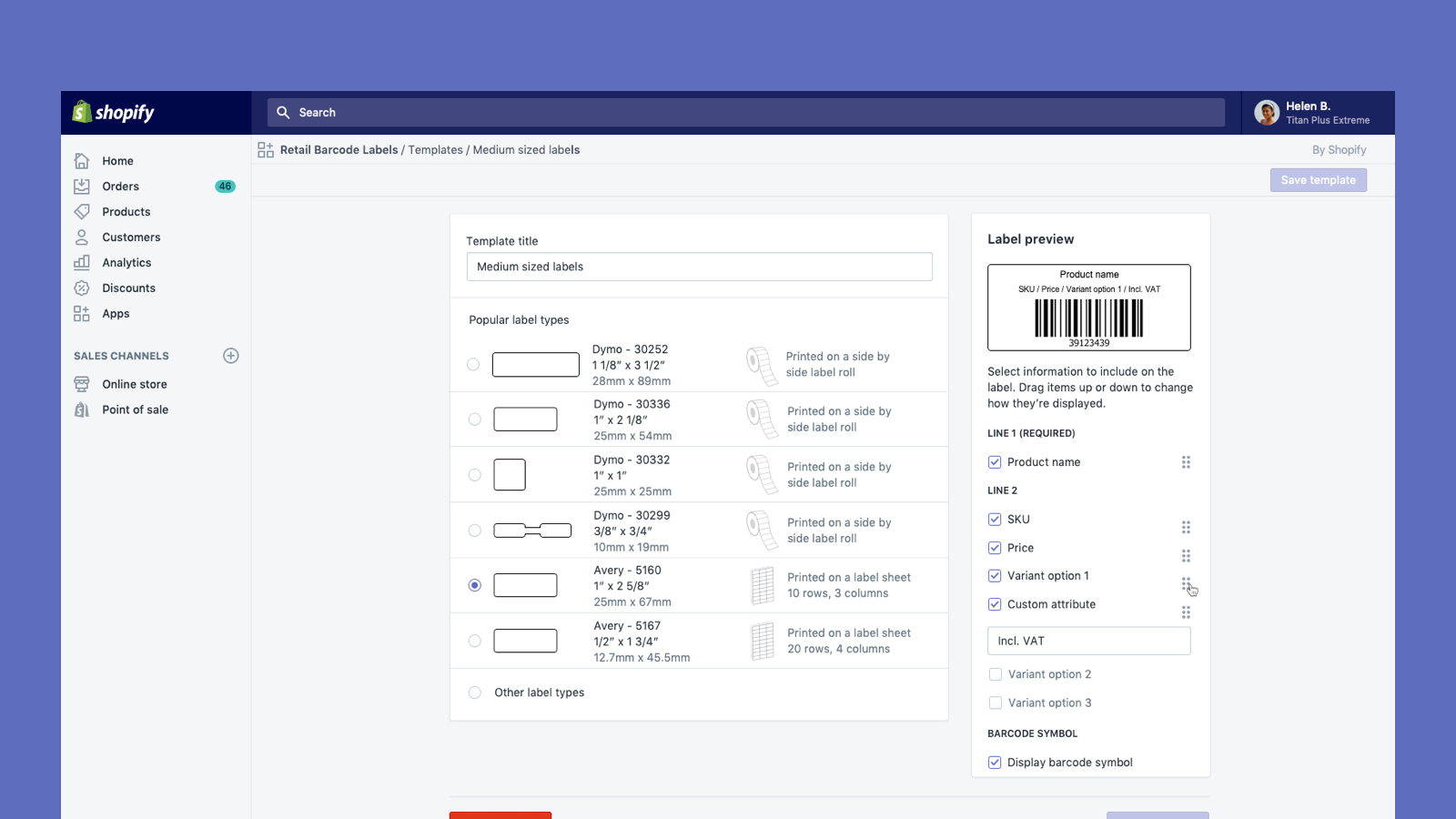
- สร้างฉลากบาร์โค้ดแบบกำหนดเองพร้อมราคา SKU ตัวเลือกสินค้า และอื่นๆ อีกมากมาย
- ใช้งานได้กับเครื่องพิมพ์ Dymo Label และ Zebra หรือเครื่องพิมพ์เลเซอร์/อิงค์เจ็ตที่ใช้ฉลาก Avery
มีข้อความที่แปลอัตโนมัติ
- เป็นที่นิยมในร้านค้าแบบคุณ
- ในสหรัฐอเมริกา
ภาษา
ภาษาอังกฤษ, ภาษาเดนมาร์ก, ภาษาเยอรมัน, ภาษาฟินแลนด์, ภาษาฝรั่งเศส, ภาษาอิตาลี, ภาษาญี่ปุ่น, ภาษาเกาหลี, ภาษาดัตช์, นอร์เวย์, ภาษาโปแลนด์, ภาษาโปรตุเกส (บราซิล), ภาษาโปรตุเกส, ภาษาสวีเดน, ภาษาไทย, ภาษาตุรกี, ภาษาเวียดนาม, ภาษาจีน (ตัวย่อ), ภาษาจีน (ตัวเต็ม), ภาษาสเปนและ ภาษาเช็ก
ใช้ได้กับ
- ส่วนผู้ดูแล Shopify
ประเภท
แหล่งข้อมูลที่แก้ไขได้
การดำเนินการ
รีวิว (476)
The recent Retail Barcode Labels update removed our ability to print SKU on Avery 5167 labels. We manufacture hundreds of visually similar products. Printing only barcode and price substantially increases the likelihood of mislabeling inventory. We'd like this functionality restored or our store opted out of the new template restrictions.
Thank you for laying this out so clearly. We're passing this along to the team that owns the app, and specific details like the label format and why the SKU matters for your workflow make that report much stronger. If you'd like to go through your current setup and look at options in the meantime like choosing another label size and customizing margins to allow to print on the Avery 5167), our support team is available at help.shopify.com/support.
Even though I'm using the same small Dymo template, all of a sudden my barcodes are longer and a different font. This is a major problem as it changes the whole layout of our product. How can I get my normal template back, and how can I speak to someone to help - no links or helpdesk available.
Thank you so much for sharing this feedback! I understand the recent changes to font may not be ideal and rest assured I have relayed that feedback to our development team. For the layout issue, please reach out to our Retail support team via help.shopify.com with the details and we can investigate further for you.
- Natasha, Shopify Support
I love this app, however, I am extremely displeased about the current font change. Please change it back ASAP or allow us to choose our own font. I absolutely hate that now all my labels do not match and I am literally given no choice in the matter. Please change it back or allow us to choose our own font STAT.
Hi there and thank you so much for sharing this feedback! I understand changes to font may not be ideal and rest assured I have relayed that feedback to our development team - thanks for flagging and for the suggestion of being able to choose your own! If you have encountered a specific technical issue due that change, not just a display issue, please do feel free to reach out to our Retail support team via help.shopify.com and we can investigate further for you as well.
- Natasha, Shopify Support
ความช่วยเหลือ
ให้ความช่วยเหลือสำหรับแอปโดย Shopify
แหล่งข้อมูล
เปิดตัวแล้ว
3 ธันวาคม 2018
สิทธิ์เข้าถึงข้อมูล
แอปนี้ต้องมีสิทธิ์เข้าถึงข้อมูลต่อไปนี้เพื่อดำเนินการในร้านค้าของคุณ ดูข้อมูลในนโยบายความเป็นส่วนตัว ของนักพัฒนา
ดูข้อมูลพนักงานและผู้มีส่วนร่วม:
เจ้าของร้าน
-
เจ้าของร้าน
ชื่อ, ที่อยู่อีเมล, หมายเลขโทรศัพท์, ที่อยู่จริง
ดูและแก้ไขข้อมูลร้านค้า:
สินค้า
-
แก้ไขสินค้า
สินค้าคงคลัง, สินค้า, คอลเลกชัน
-
ดูข้อมูลอื่นๆ
ตำแหน่งที่ตั้ง, การตั้งค่า Shopify Markets, การแปล
แนะนำ

พบกับแอปที่น่าสนใจ

ตรงตามมาตรฐานสูงสุดของเราในด้านประสิทธิภาพ การออกแบบ และการผสานการทำงาน ดูข้อมูลเพิ่มเติมเกี่ยวกับ เปิดในหน้าต่างใหม่


ตรงตามมาตรฐานสูงสุดของเราในด้านประสิทธิภาพ การออกแบบ และการผสานการทำงาน ดูข้อมูลเพิ่มเติมเกี่ยวกับ เปิดในหน้าต่างใหม่

